

How Much Does an EPOS System Cost?
If you’ve ever tried to find out how much an EPOS system actually costs, you’ve probably noticed something:
No one gives you a straight answer.
We have built something nobody else in the EPOS industry has. A simple interactive pricing tool that builds a transparent, tailored cost estimate based on your venue type and requirements.
Just an honest picture of what a complete setup is likely to cost you, before you even speak to anyone.
Why Most EPOS Pricing Feels Confusing
Let’s be real - the EPOS industry doesn’t make it easy.
You’ll find hidden setup fees, mystery subscriptions, and providers who only talk about price after you’ve sat through a sales pitch.
When you understand what you’re buying, you make smarter decisions - and that’s what leads to better profits, fewer headaches, and a system that truly fits your business.

Typical EPOS Hardware Price Ranges
Here’s what most UK hospitality and retail businesses pay today
(based on real-world installations and industry averages):
Business Type | Typical Setup | Estimated Cost (Per Site) |
|---|---|---|
Fine Dining | 2 x Terminals, Pay at table payment devices, Kitchen Display Software, Bar Display Screen | £3000-£3500 |
Multi-site Pubs | 2 x Terminals, Reciept Printers, Table QR Codes, 2 x Handheld Mobile POS, Centralised Reporting | £2200-3000 |
Quick Service Restaurant | 1 x Terminal, with integrated payments 2 x Self Service Kiosk, Receipt Printers, Mobile order & Pay | £3200-4000 |
Busy Bar | 1 x Terminal, Bar Order Screen, Reciept Printer, Mobile Order & Pay | £1500-2000 |
Restaurant | 2 x Terminals, Integrated payments, Mobile Order and Pay, Kitchen Printer | £1800-2300 |
These prices include hardware, setup, and training.
Ongoing support and licence fees are separate (see below).
What Affects the Cost of an EPOS System
Just like every venue is different, so is every EPOS setup.
Here are the main cost drivers:
Your hardware setup is the foundation of your EPOS system - and it’s where the biggest price differences can appear.
You can start with a simple touchscreen till and printer, or build out a full setup with kitchen screens, handhelds, or self-service kiosks.
The key is to match the hardware to your service style:
Cafés & small takeaways might only need one till and printer.
Retailers may add barcode scanners, label printers, or scales.
Restaurants or bars often need extra screens or portable order pads.
Tip - Buy hardware that’s reliable and built to last - cheap tills often fail under pressure and cost more in downtime.
Software is where your system becomes powerful - and customisation affects cost.
A basic setup might only handle sales and reporting, but more advanced systems can include:
Stock control and waste tracking for bars or retailers.
Table management and kitchen routing for restaurants.
Customer loyalty and gift cards for growing repeat business.
Reporting dashboards that let owners see live sales and margins.
Tip - Think of software features like staff: the more they can do for you, the more valuable they are.
Integrations link your EPOS to the rest of your business tools - reducing double entry and saving time.
Popular examples include:
Accounting: Xero, QuickBooks, Sage.
Bookings & CRM: ResDiary, Mailchimp, or customer databases.
Online ordering or delivery: Uber Eats, Deliveroo, or your website.
Each integration can add a small setup or subscription cost, but it can save hours of manual work every week - and prevent errors that cost far more than the fee itself.
Support isn’t just about fixing things - it’s about keeping your business running smoothly.
Some providers only offer email or chat support during office hours, while others (like Truli) give you real, UK-based experts seven days a week.
Remote-only support can save a little on cost.
On-site installation and full-service support gives peace of mind and faster resolutions.
Our advice: choose the highest level of support you can afford - it pays for itself the first time something goes wrong.
Think about what would happen if your system went down during a Saturday night rush - that’s when having the right support truly matters.
Finally, your scale affects cost - but not always in a bad way.
Adding more tills, handhelds, or locations increases your initial setup cost, but often reduces your per-device or per-site price thanks to shared licensing and bulk setup.
A single-site café might pay £1,500 for one till.
A three-site operator might pay £9,000 total - but gain central reporting, stock syncing, and consistent menus across all sites.
Example:
What’s Included with Truli
Every Truli system is built for real-world operators - fast installs, fewer breakdowns, better data.
Here’s what comes as standard:
-
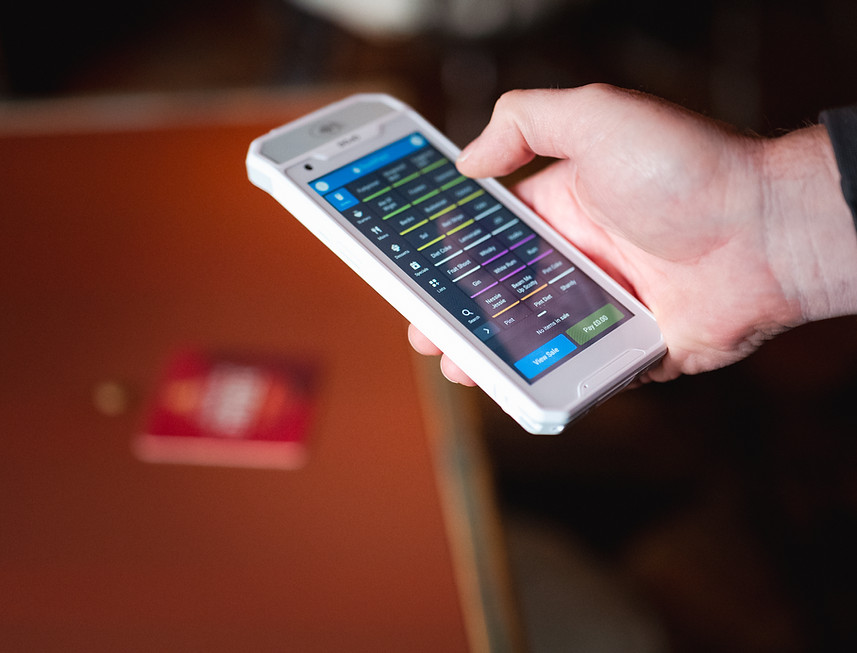
Pre-configured hardware
-
Staff training before go-live
-
Sector-specific software setup
-
UK-based support, 7 days a week
-
Cloud reporting and real-time sales access
The Ongoing Costs (Including Payments)
Beyond your initial setup, there are ongoing costs to keep your EPOS system running smoothly and your transactions flowing. Here’s what most operators can expect:
Your software license is what keeps your EPOS system running day to day - it’s the "engine" behind the hardware.
This monthly fee covers:
-
Secure data backups
-
Automatic software updates and improvements
-
Access to the latest EPOS features and cloud reporting
-
Access to your management dashboards from anywhere
-
Integration with other tools (accounting, online ordering, loyalty, etc.)
The cost usually depends on:
-
The number of tills or devices using the system
-
The modules you include (for example, stock control or loyalty)
-
Whether your business is hospitality or retail, since features differ
We help every customer compare options and benchmark rates, so you only pay what’s fair - and your payments integrate seamlessly into your EPOS.

How to Save Money
(Without Cutting Corners)
There are smart ways to bring down your total cost - without choosing a cheap or unreliable system:
-
Integrate EPOS and Payments for better processing rates (if it fits your model).
-
Choose scalable hardware so you can grow without reinvesting.
-
Use cloud reporting to cut admin time and avoid duplicate tools.
-
Select a provider who gives real UK support - not ticket systems.
Real Examples from Truli Customers
Example 1: Café in Kent (£2,100 setup)
2 terminals,
1 kitchen printer
Integrated payments
Cloud reporting
Trained team in 1 day
Saved 10 hours/week in admin and reduced card fees by 20%.
Why Businesses Choose Truli
When it comes to EPOS, the system you choose can make or break your daily operations.
Truli stands out because we’re operators first, techies second.
We’ve run hospitality venues ourselves, we know how chaotic it gets when tills go down mid-service.
That’s why we designed Truli to be simple, scalable, and supported by real humans who actually answer the phone.

